How to get more Google reviews for your small business (7 non-pushy strategies)

Great service alone doesn’t guarantee new customers if your Google listing looks empty. Most people check reviews before they ever visit a business, and a thin profile can signal that your business isn’t worth visiting.
So how do you get more Google reviews without adding extra work to your day? This guide walks through simple strategies small businesses can use to bring in more reviews.
Why do Google reviews matter for small businesses?
Google reviews shape how customers judge your business before they ever contact you. A steady stream of recent, positive feedback signals that you’re active, trustworthy, and worth choosing over competitors.
Reviews also feed directly into local search rankings, which means more visibility on Google Maps and in nearby searches.
In simple terms, strong reviews bring two things every small business needs: credibility and discoverability. When people can quickly see that others had a good experience, they feel safer walking in, booking a service, or clicking buy.
7 ways get more Google reviews for your small business
Getting more reviews comes down to timing and simplicity. Most happy customers are willing to leave feedback. They just need a clear, easy way to do it and a gentle reminder at the right moment.
Here’s how to capture their attention and sentiment.
1. First, find your direct Google review link (it's easy!)
To get more Google reviews, you need a direct link that takes customers straight to the review form. This removes unnecessary steps and increases the likelihood they will complete the review.
Here is how to find your link:
Make sure you are logged into the Google account associated with your Google Business Profile.
Open Google and search for your exact business name (e.g., “Amy’s Flower Shop”).
Your Google Business Profile should appear in the search results. Look for a button that says “Ask for reviews” or “Get more reviews.”
Click this button. A pop-up window will appear with your unique, shareable review link.
Click to copy the link.
Tip: Save this link in an accessible location, such as a notes app or a team messaging channel, for frequent use.
2. Ask for reviews directly from your customers
The easiest way to get more Google reviews is to ask. Most customers don’t think to leave a review on their own, even after a great experience. A short, friendly request at the right moment can make a big difference.
The best time to ask is right after a customer says they’re happy. That’s when the experience is fresh and positive. Keep it casual and natural.
Here are a few ways you can ask for reviews:
In person: Ask right after you’ve finished helping them or completed a sale. “Glad we could help today. If you have a minute, a Google review would mean a lot to us.”
Over email: Include the request in a thank-you message after a visit or purchase. Add your direct review link so they don’t have to search. “Thanks again for choosing us. If you’d like to share feedback, here’s our Google review link.”
Over text or messaging apps: Keep it short and friendly. “We appreciate your business today. If you have a moment, we’d love a quick Google review: [link]”
2. Add your review link to your email signature
If you email customers regularly, your signature is an easy place to ask for reviews without sending a separate message. Every invoice, follow-up, or thank-you email becomes a reminder that they can leave feedback.
Add one short line and your direct review link to the bottom of your signature. Most people won’t review right away, but the repeated visibility helps over time.
Example:
“Enjoyed working with us? Leave a Google review here. Your feedback helps our business grow.”
3. Use a QR code on receipts, menus, or flyers
QR codes offer a fast, mobile-friendly way for customers to leave a review. Generate a free QR code for your review link and place it in high-visibility locations.
On receipts or invoices: Customers see it right after they pay, which is a natural moment to ask for feedback.
On a small sign at your checkout counter: A simple message like, “Had a great experience? Scan to leave a review,” works well.
On business cards or flyers: Adding a review prompt to printed materials keeps the link in customers’ hands.
This lets customers leave a review in seconds while they’re still thinking about their visit.
4. Send a simple, personalized follow-up email or SMS
If you have a customer’s contact info, a quick follow-up message is one of the easiest ways to ask for a review. Send it within a day of their visit while the experience is still fresh. Include your direct review link so they can leave feedback in one tap.
Keep it short and human.
Example:
“Hi [Customer Name], thanks for visiting [Business Name] today! If you have a minute, we’d love a quick Google review. Here’s the link: [Your link]. We appreciate it.”
5. Add a 'leave a review' button to your website
Your website should have a clear, accessible way for customers to leave a review. Add a button or link in prominent locations:
In the website footer: This ensures it is visible on every page.
On your ‘Contact Us’ or ‘About Us’ page: Visitors often look to these pages to interact with your business.
Label the button clearly with text like “Review Us on Google” and link it directly to your review page.
6. Share positive reviews on social media (and ask for more)
A great review is content you didn’t have to write. Share it. Posting customer feedback on social media builds trust faster than any sales message because it comes from a real person.
You can reuse your reviews across your marketing content, in social posts, newsletters, and blog content to build trust across every channel. If you’re short on time, Melora can turn your customer reviews into polished posts and marketing moments automatically, so nothing good goes to waste.
7. Always respond to your existing reviews
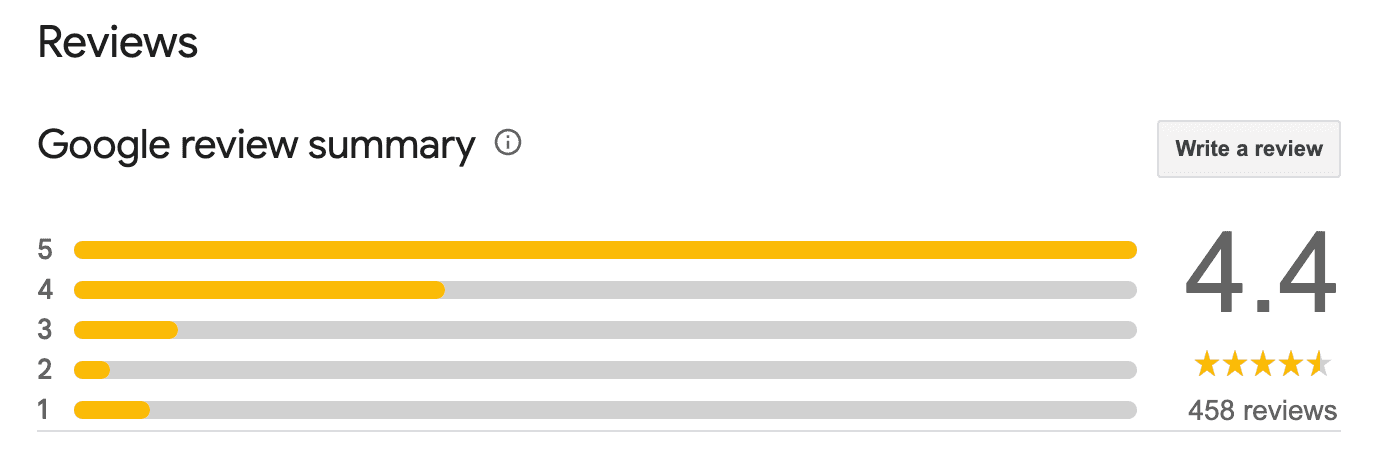
Responding to reviews shows customers you’re paying attention. When people see a business replying, they’re more likely to leave feedback themselves because they know it won’t disappear into a void.
For positive reviews: A simple response works best. “Thank you for your feedback, [Reviewer Name]. We appreciate your business and hope to see you again.”
For negative reviews: Respond professionally. Thank them for the feedback, acknowledge their concerns, and offer to resolve the issue offline.
Even a few words can shape how your business looks to the next person reading your reviews.
What to avoid: How NOT to ask for reviews
To maintain the integrity of your reviews and comply with Google's policies, it is important to understand what is not allowed when asking for Google reviews for my business.
Never buy reviews or offer incentives: Do not offer discounts, gift cards, or payment for reviews. This violates Google's terms and can lead to penalties.
Don't 'review gate': This is the practice of selectively asking for positive reviews or filtering out negative ones. All customers must have the same opportunity to provide feedback.
Authenticity is the most important factor. Focus on earning genuine reviews through excellent service and simple, direct requests.
Your path to a five-star reputation
Learning how to get more Google reviews for your small business does not require a large marketing budget. Success depends on consistency and making the review process simple for your customers.
Melora provides automated content and marketing for busy operators, helping you build your business through emails, social posts, and more. See how Melora makes marketing effortless today.
Share on social media